Alternative Formats
Because of the different needs of students, Alternative Formats can be manually generated by a student, based on the individual needs of the student.
Open Alternative Formats:
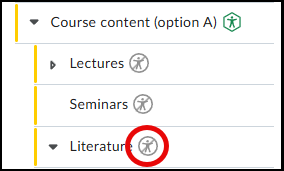
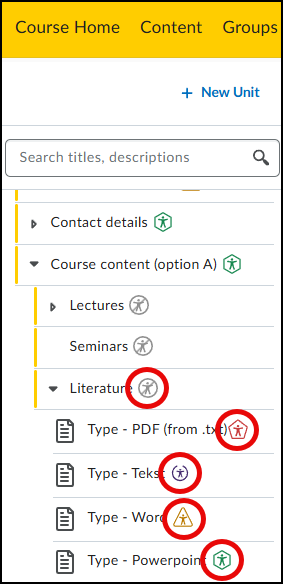
- Click the Accessibility Badge next to the content item
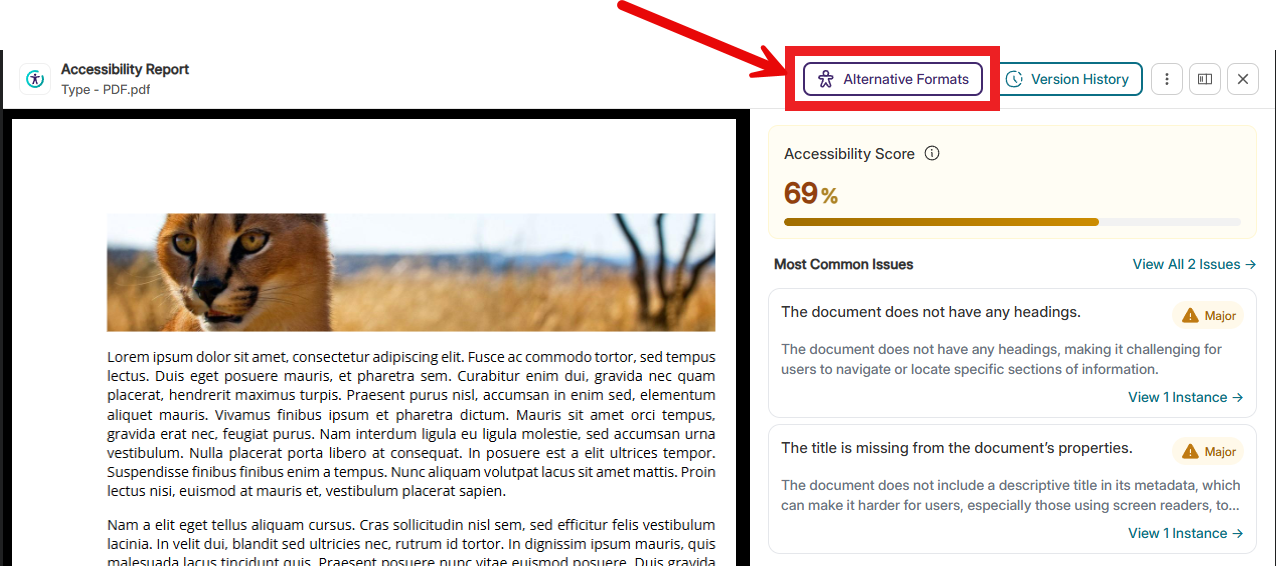
- Click the Alternative Formats button at the top right of the page
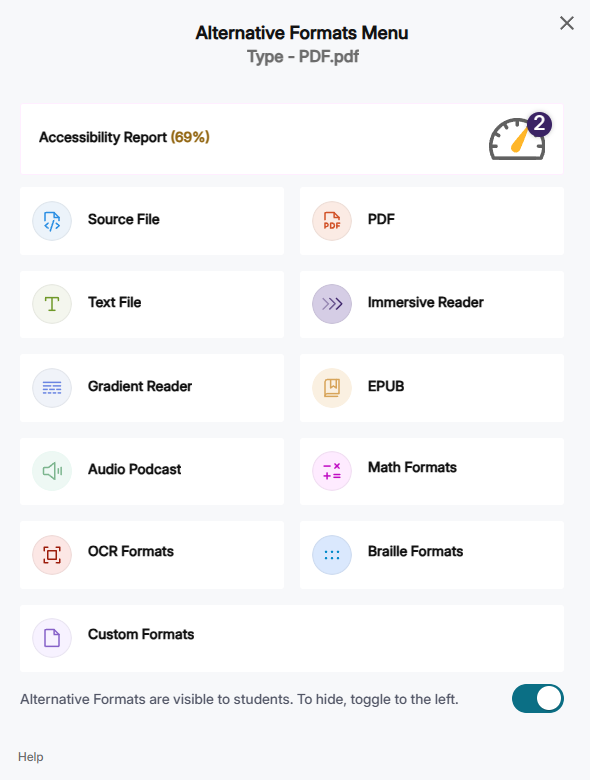
Below you will find the list of available Alternative Formats:
- Source File: View the document in its original format, suitable for downloading and viewing.
- PDF: View the document in PDF format, suitable for both online viewing and downloading.
- Text File: View the document in a plain text format without style formatting, suitable for both online viewing and downloading.
- Immersive Reader: Allows customization of text preferences, grammar options, and reading preferences, while reading along with the audio playback feature.
- Gradient Reader: Enhances visual word recognition during reading by displaying a guiding color gradient.
- Audio Podcast: Audio playback feature for documents, suitable for both online listening and downloading.
- EPUB: View the document in eBook format, suitable for any eBook reader application.
- Enhanced HTML: HTML documents can be displayed in a separate tab to adjust the appearance of the document using the Website Accessibility tool.
- Math Formats: Convert documents with mathematical equations to LaTeX, Math Text (e.g., numbers and symbols to words), or MP3 files.
- Latex: Convert documents to LaTeX document format.
- Math Text: Convert documents to written English, including numbers and symbols.
- Math Audio: Convert documents to MP3.
- MathML: Extract mathematical equations from documents and convert them to HTML files.
- OCR: Convert images with text to machine-readable text that can be searched and read by screen readers.
- OCR Overlaid Tagged PDF: Generate a tagged PDF with selectable text over the original document.
- OCR Reconstructed DOCX: Generate a completely new DOCX file based on scanned documents or images.
- OCR Reconstructed Tagged PDF: Generate a completely new tagged PDF based on scanned documents or images.
- OCR Reconstructed HTML: Generate a completely new HTML file based on scanned documents or images.
- OCR Text: Recommended for users who want plain text; the OCR tool extracts and displays text from images and GIF files as a TXT file.
- OCR Audio: Extract text from images and GIF files to an MP3 text-to-speech audio player.
- Braille Formats: View the document in braille grade 2 format, suitable for downloading and viewing (a braille reader is required).
No alternative formats available
The following icon means that no alternative formats are available. If they are needed, you can contact the instructor of the course.